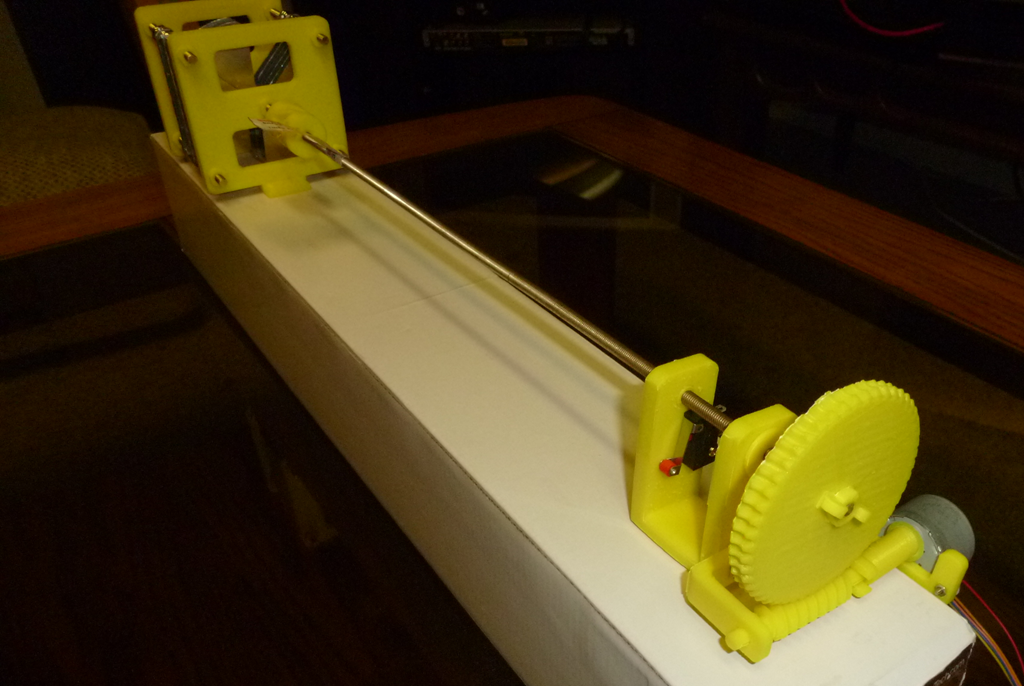
Here is my Mostly Printed Butterfly Capacitor, ready for use in a magnetic loop antenna.
 As described earlier, my signal generator is controlled by LCD Keypad buttons and a rotary encoder. The KY-040 rotary encoder is cheap and reliable. You can buy them on eBay for around a dollar each and you should always keep a few around.
Rotary encoders are used to send tuning pulses to an electronic device. Your car radio probably uses rotary encoders for changing volume and frequency. They work by sending pulses when turned. These pulses are on two channels (A and B) and are sent 90 degrees out of phase with each other.

Here is the source code to run a TJCTM24024 module Arduino Touchscreen Display, and in particular, coding the XPT2046 resistive touch pad.
The main program loop for my Arduino AD9850 control program begins by checking for button commands from the LCD 1602 Keypad. Then it moves on to checking the status of the KY-040 optical encoder. The encoder outputs are translated to equivalent button commands, depending on the direction of turn and closing the push switch. After this, the program moves on to processing the button commands, which tell the signal generator what to do.
void loop()
{
	int btn = BUTTON_NONE;

	/*
	* Get the Inputs. Priority given to LCD Keypad buttons.
	* Turning encoder produces BUTTON_UP or BUTTON_DOWN
	* Pressing encoder switch produces BUTTON_SELECT or BUTTON_SELECTLONG
	*/
	btn = ReadLCDBtn();
	if (btn == BUTTON_NONE) {
		btn = CheckEncoderTurning();
	}
	if (btn == BUTTON_NONE) {
		btn = CheckEncoderSwitch();
	}
	/* Deal with Menu activities, if any */
	btn = ProcessMenu(btn);
When you are writing an Arduino AD9850 library, you need to create two files. The first is a header file, shown immediately below. The header file describes a class, which is then implemented in the C++ file, shown below. The header file is included in your main Arduino program.
// AD9850B.h

#ifndef _AD9850B_h
#define _AD9850B_h

#if defined(ARDUINO) && ARDUINO >= 100
	#include "arduino.h"
#else
	#include "WProgram.h"
#endif

#define DDS_CLOCK 125000000
#define FREQ_FACTOR 4294967296

typedef enum SweepState { ssOff, ssRunning, ssFinished };

class AD9850B
{
 private:
	 int lineCLOCK;
	 int lineLOAD;
	 int lineDATA;
	 int lineRESET;
	 unsigned long _frequency = 10000000;
	 double _calfactor = 0;
	 boolean _active = false;
	 void PowerDown();
	 void Reset();

 public:
	AD9850B(int gW_CLK, int gFQ_UD, int gDATA, int gRESET);
	void Init();
	boolean GetActive();
	void SetActive(boolean param);
	unsigned long GetFrequency();
	void SetCalibration(long param);
	void SetFrequency(unsigned long param);

};

extern AD9850B dds;
#endif