Put your Arduino to work in your model railroad control. A great combination.

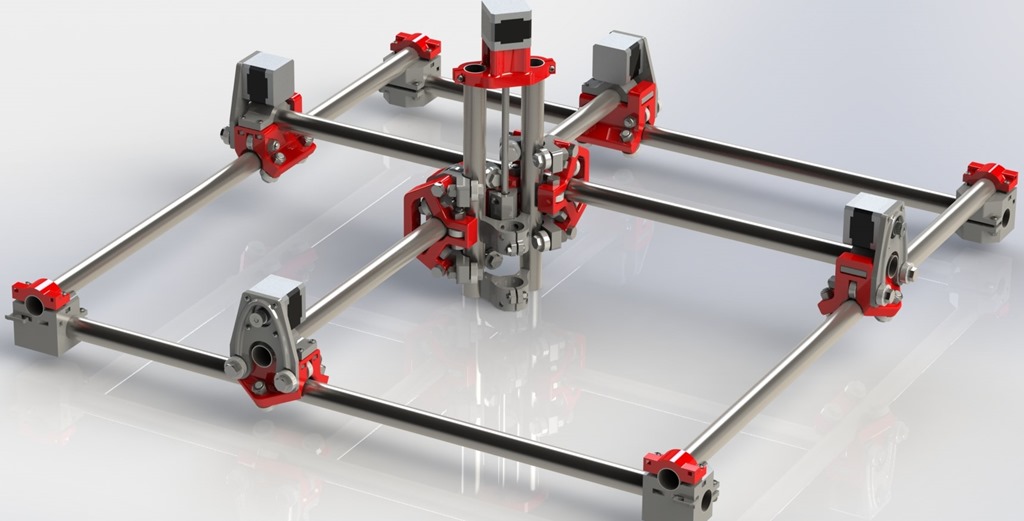
While I was printing the Corner Blocks for my Mostly Printed CNC machine, I noticed that the parts were warping a bit on some of the corners. This is called PLA lifting.
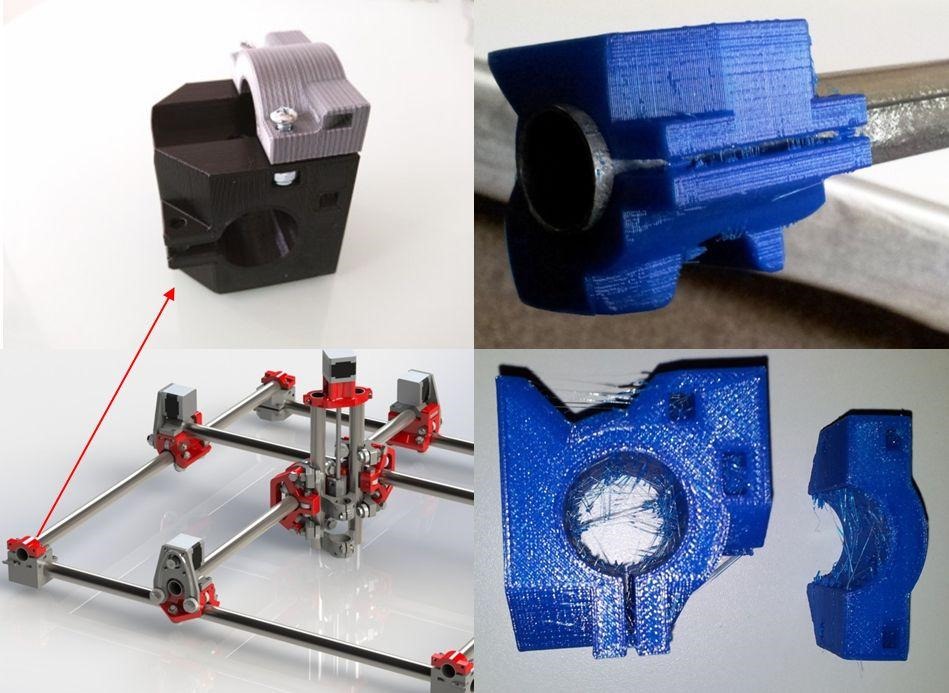
I am making the plastic the parts for my Mostly Printed CNC, starting with the MPCNC Corner Block.

It’s amazing how well lemon works to remove hard water stains.
We have a toilet in the basement that does not get used very often. That means it does not get flushed often, either. Over time, hard water stains build up. as shown in the lower right picture above. This ring is created by hard water.
According to Wikipedia, hard water is water with a high mineral content. Calgary has some of the highest hard water of all Canadian cities except Regina – lots of calcium and magnesium. This is a common problem across the Canadian prairies, some parts of Ontario and most of the United States. As the water in the bowl evaporates, calcium carbonate is left behind as hard water stains.
Since we are expecting a house full of guests over the Easter weekend, I decided (well, my wife did really) that it was time to clean up the basement toilet and remove the hard water stains.
I went looking for advice on the Internet. The first suggestion I found was pumice stone. But I was worried that this would leave scratches on the toilet bowl. This was confirmed with a small test. The second suggestion was lemon and salt. This worked great.
The lemon creates a chemical action which dissolves the minerals. The salt acts as a mild abrasive. It took a few lemons, lots of salt, and plenty of elbow grease and patience. As you can see in the four pictures above, starting with the “before” in the lower right and the “after” in the upper right, hard rubbing with a salted lemon gradually removed all of the hard water stains.
Two tips. Wear rubber gloves. Turn the water off to the toilet. Before you begin rubbing, flush the toilet. Since the water is turned off, the bowl will not refill. That way the water is kept off the hard water stains while you work on them.
It’s all about the citric acid, which converts calcium carbonate into a soluble solution that can be wiped away. According to this explanation, calcium carbonate has a high ph content. The lemon neutralizes the ph, dissolving the adhesion between the scale and the solid surface. The citric acid in a lemon is pretty weak. But it is strong enough to remove hard water stains from a toilet.
Learn something new every day.
 As described earlier, my signal generator is controlled by LCD Keypad buttons and a rotary encoder. The KY-040 rotary encoder is cheap and reliable. You can buy them on eBay for around a dollar each and you should always keep a few around.
Rotary encoders are used to send tuning pulses to an electronic device. Your car radio probably uses rotary encoders for changing volume and frequency. They work by sending pulses when turned. These pulses are on two channels (A and B) and are sent 90 degrees out of phase with each other.

Here is the source code to run a TJCTM24024 module Arduino Touchscreen Display, and in particular, coding the XPT2046 resistive touch pad.
The main program loop for my Arduino AD9850 control program begins by checking for button commands from the LCD 1602 Keypad. Then it moves on to checking the status of the KY-040 optical encoder. The encoder outputs are translated to equivalent button commands, depending on the direction of turn and closing the push switch. After this, the program moves on to processing the button commands, which tell the signal generator what to do.
void loop()
{
	int btn = BUTTON_NONE;

	/*
	* Get the Inputs. Priority given to LCD Keypad buttons.
	* Turning encoder produces BUTTON_UP or BUTTON_DOWN
	* Pressing encoder switch produces BUTTON_SELECT or BUTTON_SELECTLONG
	*/
	btn = ReadLCDBtn();
	if (btn == BUTTON_NONE) {
		btn = CheckEncoderTurning();
	}
	if (btn == BUTTON_NONE) {
		btn = CheckEncoderSwitch();
	}
	/* Deal with Menu activities, if any */
	btn = ProcessMenu(btn);